
The short answer
Vocal reverb can sound muddy when its level, frequency balance or overlapping reflections obscure the words. First compare the mix with the added reverb muted, keeping the dry vocal unchanged. Then test wet level, pre-delay, decay and return EQ separately. Judge whole phrases in the arrangement before choosing a revision.
Keep these in mind
- Locate the added effect before changing the lead vocal's tone.
- Listen to word beginnings and the spaces between phrases as separate checks.
- Keep the successful sense of space in your approval criteria.
How can you tell whether the reverb is causing the problem?
Choose a passage where a line becomes difficult to understand. Include the lead-in and the next phrase so you hear what happens to the tail. Save the current mix, then mute only the added vocal reverb. Leave the dry vocal level and the rest of the arrangement alone. If intelligibility barely changes, investigate the source recording or competing instruments before replacing the reverb.
This test requires access to the effect path in the DAW. A stereo mix alone cannot reveal its individual routes. If you are reviewing someone else's mix, describe the words and timestamp you lose, then ask for a comparison pass. Muting an added effect also leaves any room sound already captured in the vocal recording. Make that distinction before treating every lingering sound as a plug-in setting.
What do pre-delay, decay and return EQ change?
Pre-delay separates the original sound from the start of the reverb. iZotope explains how that separation can leave the initial attack clearer. Test it around a word beginning, then listen through the phrase. More separation can become a noticeable detached effect, so a larger number is not automatically a better result. There is no single time that suits every performance.
Decay concerns how long the reverberation fades. Ableton's Reverb manual describes pre-delay and decay as distinct controls. If the previous phrase's tail crowds the next entrance, compare a shorter decay while leaving the onset setting alone. If the length already supports the song but the return adds a cloudy tone, try shaping the effect's frequency balance. Universal Audio demonstrates EQ on the reverb independently from the dry vocal. Listen for what you lose as well as what becomes clearer.
| Listen for | One controlled test | Check before keeping it |
|---|---|---|
| Too much space throughout | Lower only the wet contribution | Does the singer still belong in the intended space? |
| Softened word beginnings | Change pre-delay only | Are the reflections now distractingly separate? |
| Tail over the next line | Shorten decay only | Does the end of the previous line still feel complete? |
| Cloudy return with useful length | Adjust return EQ only | Has the space become thin or sharp? |
How do you compare a clearer reverb without losing the mood?
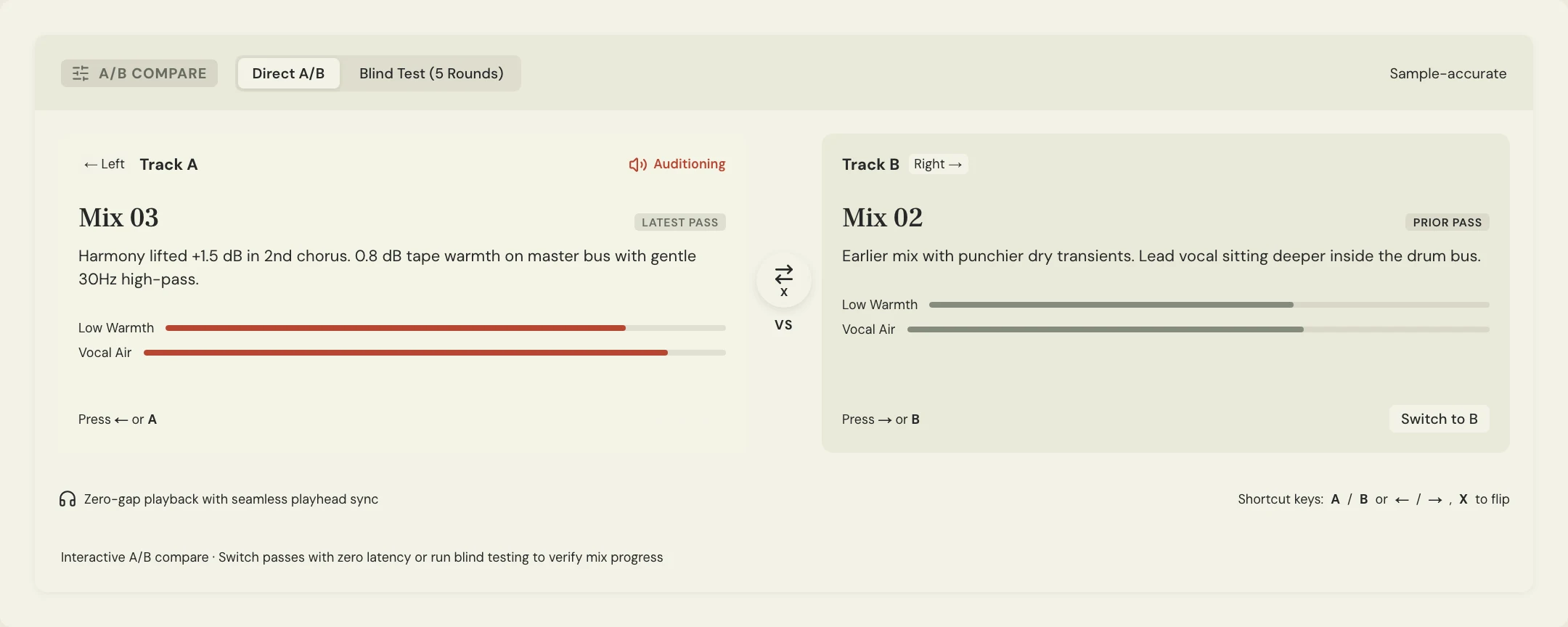
Make each candidate from the saved original rather than stacking every change onto the last attempt. Keep the dry signal, song section and unrelated processing consistent. Compare at a similar comfortable playback level, following the fair A/B guide. An impressive soloed tail still needs to work with the singer, drums and instruments together. Return to the complete arrangement for the decision.
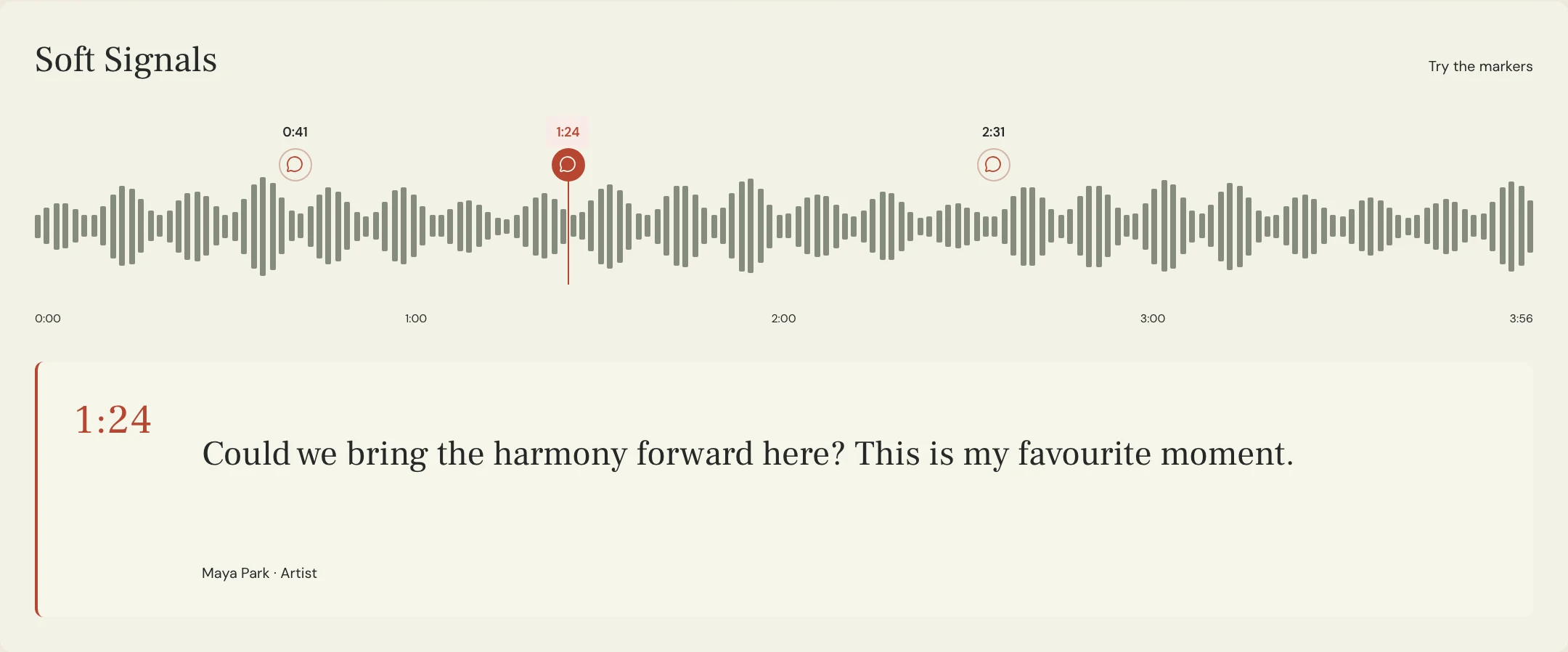
Constructed example for the fictional Soft Signals song Lantern. Maya likes the space after a long chorus note, but misses the opening word of the next line. The engineer prepares one pass with less wet signal and another with a shorter decay. The request protects the long note's sense of space while asking for a clearer next entrance. These are proposed listening tests, not reported audio measurements or a claim that either option will win.
Give the passes informative names and put the changed control in the notes. MixPass supports comparing audio passes and leaving timestamped feedback, while the engineer makes the effect changes in the DAW. If one candidate reveals the next word but makes the whole chorus feel small, record both observations. The useful answer may be a more local revision instead of applying that candidate to the entire song.
What should you send the engineer after the test?
Send a finding, a preserve condition and a next check. For Lantern, the note could read: 'On Chorus 08 at 1:12, the first word after the held note is hard to follow. Keep the space after the held note. Please compare a shorter tail over this transition against the current pass, with the dry lead unchanged.' Attach the note to that version so the engineer knows which balance you heard.
Ask which path needs changing if the effect is shared with other instruments. A change to a shared return can affect more than the singer. Keep delivery decisions separate: the shared-reverb stem guide covers returning those files. For a deliberately repeated word at a selected moment, use the delay-throw brief instead. Your acceptance note here should say whether the words are clear and the intended atmosphere survives.
Listen once more from before the transition through the next full line. Confirm the result against the protected moment, not just the troublesome syllable. Name the accepted pass and keep the earlier reference. That closes a specific mix decision without turning 'less muddy' into a request to remove every audible effect.
A few more things
Common questions
Should I EQ the dry vocal to fix a cloudy reverb?
First check which signal causes the problem. If the dry vocal works with the effect muted, audition a change on the effect path before altering the singer's tone.
Does longer pre-delay always improve intelligibility?
No. It can separate the onset from the dry voice, but excessive separation may become distracting. Judge it with the actual phrasing and arrangement.
Can MixPass remove the reverb from an uploaded mix?
No. Ask the engineer to render the comparison from the source session, then use the returned audio passes for listening and feedback.
What if I like the reverb only between phrases?
Mark both a phrase to protect and an entrance that needs space. Ask for a local effect-level revision and compare it with the existing mix.
Further reading
Technical background from the original sources referenced in this guide.
Your next pass
Give the song a shared home.
Keep the versions, lyrics, feedback, and people together in MixPass.
Building an upcoming single or EP? Apply for the Founding Testers Program for 3 months of Pro free in exchange for feedback (50 early seats).