
The short answer
Useful mix revision notes identify the exact pass, the moment in the song, the element you hear, and the musical result you want. Include your listening setup and priorities, separate each request, and mention what should stay. Collect collaborators’ decisions before sending one agreed round of feedback to the engineer.
Keep these in mind
- Tie every note to an exact mix pass.
- Describe the result you want without guessing a technical fix.
- Prioritize the round and preserve what already works.
What makes a mix revision note actionable?
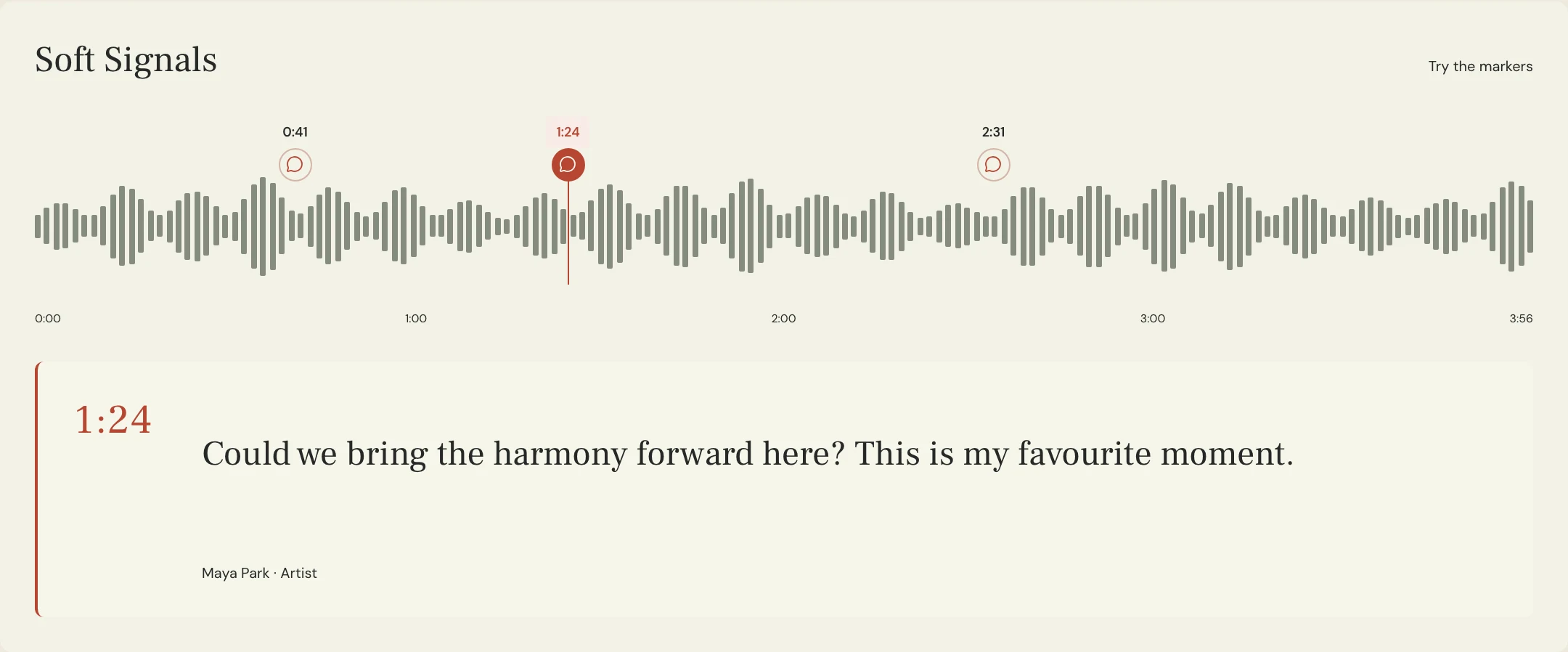
Give the engineer a location, an element, and an intended result. “At 1:24 the harmony is hard to follow; could it come forward without moving the lead back?” is easier to interpret than “The chorus needs work.” It leaves room for the engineer to choose an appropriate solution.
Mention the system where you heard the issue, especially when it appears only on one device. A note from a phone speaker and a note from headphones may reveal different listening experiences. State the observation without claiming that one playback system proves the mix is wrong.
What mix revision notes template can you copy?
Use this template for a consolidated review round. Put each separate request on its own line or comment. The blank fields are for your project; the format is a communication aid, not a required number of revisions or a commercial agreement.
Keep overall impressions brief, then identify the changes that matter most. If a band or production team is involved, settle contradictory instructions before sending the round. Label an optional experiment so the engineer knows it is different from an approved requirement.
SONG: [Title]
PASS REVIEWED: [Exact mix label or filename]
LISTENED ON: [Headphones / monitors / other system]
OVERALL: [What works; what needs attention]

PRIORITY 1
TIME / SECTION: [Timestamp and location]
ELEMENT: [Vocal, bass, drums, or other part]
OBSERVATION: [What you hear]
GOAL: [The musical result you want]

OTHER REQUESTS
[One issue per note, with time and goal]

OPTIONAL EXPERIMENTS
[Clearly identified ideas to try]

KEEP
[Balances or choices you want preserved]

REVIEW CONTACT / NEXT STEP
[Who confirms the next pass]
Copy or download, then fill in the details for your song.
How can you rewrite vague mix feedback?
Constructed examples from a fictional Soft Signals review appear below. They are not prescriptions for another song. Notice that each rewrite describes a goal while avoiding an unsupported command to boost a frequency or use a particular plugin.
When a note is about the whole track, explain that explicitly instead of inventing a timestamp. “Across the verses, I struggle to follow the lyric at a comfortable listening level” can be a useful global observation. A timestamp is helpful where the concern is localized.
| Vague note | More useful request |
|---|---|
| Make it warmer | The verse vocal feels sharp on the held vowels; could it feel softer while staying clear? |
| More energy | At 2:46, could the last chorus lift more while keeping the verse restrained? |
| Bass is wrong | At 0:41, the bass notes are hard to follow on my headphones; keep the weight but improve definition. |
| Too much reverb | At 1:24, the vocal tail blurs the next phrase; could the words remain easier to follow? |
How do you track the next revision round?
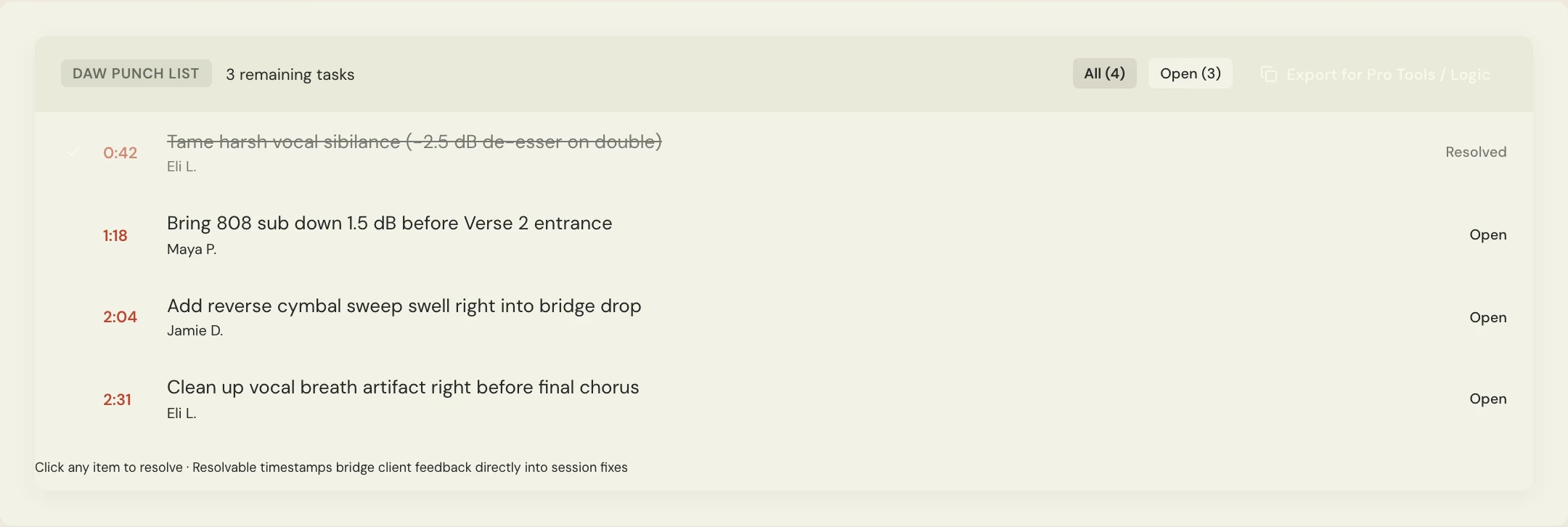
After agreeing on the changes, keep them in a punch list with the source pass. In MixPass, timestamped feedback and resolvable tasks help the artist and engineer follow what remains open. When the next pass arrives, listen to the requested changes in context before adding a new round.
Ask the engineer to summarize what changed and any requests they interpreted differently. Mark an issue resolved only when the team agrees it was addressed or intentionally left unchanged. Keep new requests identifiable so they are not confused with missed work from the earlier round.
A few more things
Common questions
Do mix notes need exact EQ or compression settings?
Usually they need a clear listening goal more than a guessed setting. Give technical instructions when they are part of an agreed production decision; otherwise describe the result and let the engineer choose a method.
How many notes should I send?
Send enough to describe the actual issues, then prioritize them. Avoid turning every preference into a mandatory change, and consolidate your team’s requests before the engineer begins the next pass.
Should I send feedback immediately after the first listen?
Listen once for the overall song before writing detailed notes. A short break and another listen can help you separate a persistent issue from your first reaction.
Can I leave a voice note instead?
A voice note can communicate nuance, but attach it to the relevant pass and summarize the specific requests. The engineer still needs a clear location, goal, and priority.
Your next pass
Give the song a shared home.
Keep the versions, lyrics, feedback, and people together in MixPass.