
The short answer
A mix can pump when a kick hit triggers gain reduction on a shared bus, pulling other parts down before they recover. Find the stage responsible with a controlled bypass comparison, then test compression amount, recovery timing and detector filtering separately. Confirm whether the movement is unwanted before changing the groove.
Keep these in mind
- Listen to a held vocal or pad to hear movement outside the kick itself.
- A meter moving with the drum is a clue; a controlled signal-path test identifies the cause.
- A detector filter changes what triggers compression, which differs from cutting bass in the audible mix.
What should you listen for before changing a compressor?
Choose a passage with a sustained sound over several kick hits. Listen to the vocal, a pad or a cymbal tail rather than focusing only on the drum. Does that sound dip at the hit and rise afterward? Is the motion part of the intended rhythm, or does it interrupt a word or held note? Mark the passage and describe the part that moves.
A compressor on a shared bus can change the level of everything passing through it. iZotope's mix-bus tutorial demonstrates a kick triggering audible movement across a mix. That possibility does not prove the cause in your session. Intentional volume automation, an external trigger or processing on a smaller group may create similar movement. The kick and bass guide covers a different question: hearing two low-end sources clearly when they overlap.
How do you find which processing stage causes the pumping?
Save the current session and start with the shared path carrying the moving sound. Compare one processor active and bypassed while keeping the source balance unchanged. Use an appropriate output trim for a similar listening level and watch for a louder bypass feeding a later limiter harder. If that happens, isolate the candidate stage for the test or account for the later gain reduction before drawing a conclusion. Do not disable the whole chain and attribute every difference to one compressor.
Inspect the gain-reduction display alongside the sound, but use it as supporting evidence. A repeating dip that vanishes in the controlled comparison is more informative than a meter alone. If bypassing that stage makes no relevant difference, restore it and test the next plausible stage. When reviewing only a stereo file, ask the engineer for a rendered comparison; the file does not expose its internal buses.
| Observation | Next isolation check | Avoid assuming |
|---|---|---|
| Vocal and pad dip together | Shared bus carrying both | That the bass track alone is too loud |
| Only one group moves | That group's processing and automation | That the final mix bus causes it |
| Movement remains with one compressor bypassed | Another dynamics stage or an intentional level envelope | That a new release setting will fix it |
| Bypass sounds different but drives later limiting | Comparable levels into that later stage | That this is a clean compressor comparison |
Should you change the amount, release or sidechain filter?
Once you have identified the stage, test less gain reduction without changing its timing first. For example, raise the threshold while retaining the other settings and compare the level-matched result. This asks whether the depth of the gain movement is the problem. Preserve the initial setting so a test of timing can start from the same reference instead of accumulating unrelated changes.
Next, test recovery. Release controls how the compressor returns from gain reduction; FabFilter notes that this can depend on the program material and compression style. Listen across both widely spaced and faster kick hits. Too abrupt a recovery can create an audible swell, while a slower recovery can hold material down into the next event. A beat-length calculation is a reference, not a guarantee of how a particular compressor responds.
If the detector is reacting disproportionately to low-frequency content, audition its filtering where the processor supports it. Ableton and FabFilter document listening to the sidechain signal used to trigger compression. Filtering that detector is distinct from inserting an EQ cut in the audible bass path. After the change, verify that the mix still receives the dynamic control it needs. A less sensitive detector is not a promise of peak protection.
How do you ask for less pumping without flattening the groove?
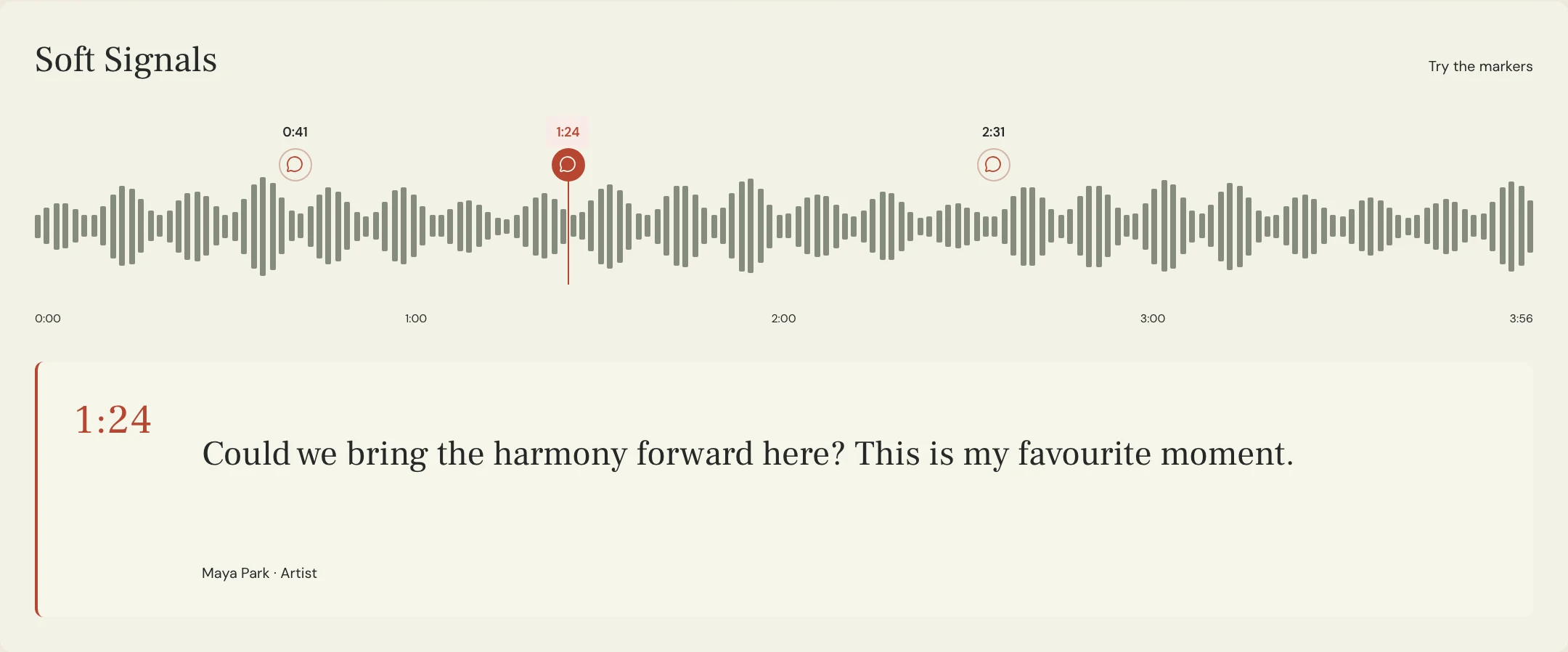
Constructed example for the fictional Soft Signals song Lantern. At the chorus entrance, Maya hears a held vocal retreat after each kick, while she likes the rhythmic motion of the pad. She requests one comparison with a shallower gain envelope and another testing recovery on the identified shared bus. Her note protects the pad's intended movement and asks the engineer to report whether that requires a different routing decision. No test result is assumed.
Write the note around an observable acceptance condition: 'On Chorus 09 at 1:08, keep the held vocal steady enough to follow the last word. Preserve the deliberate pad pulse. Please compare the current pass with a change on the bus we identified, at similar playback level.' MixPass supports timestamped notes and identifiable audio passes for that review. It does not inspect a compressor or change a sidechain routing assignment.
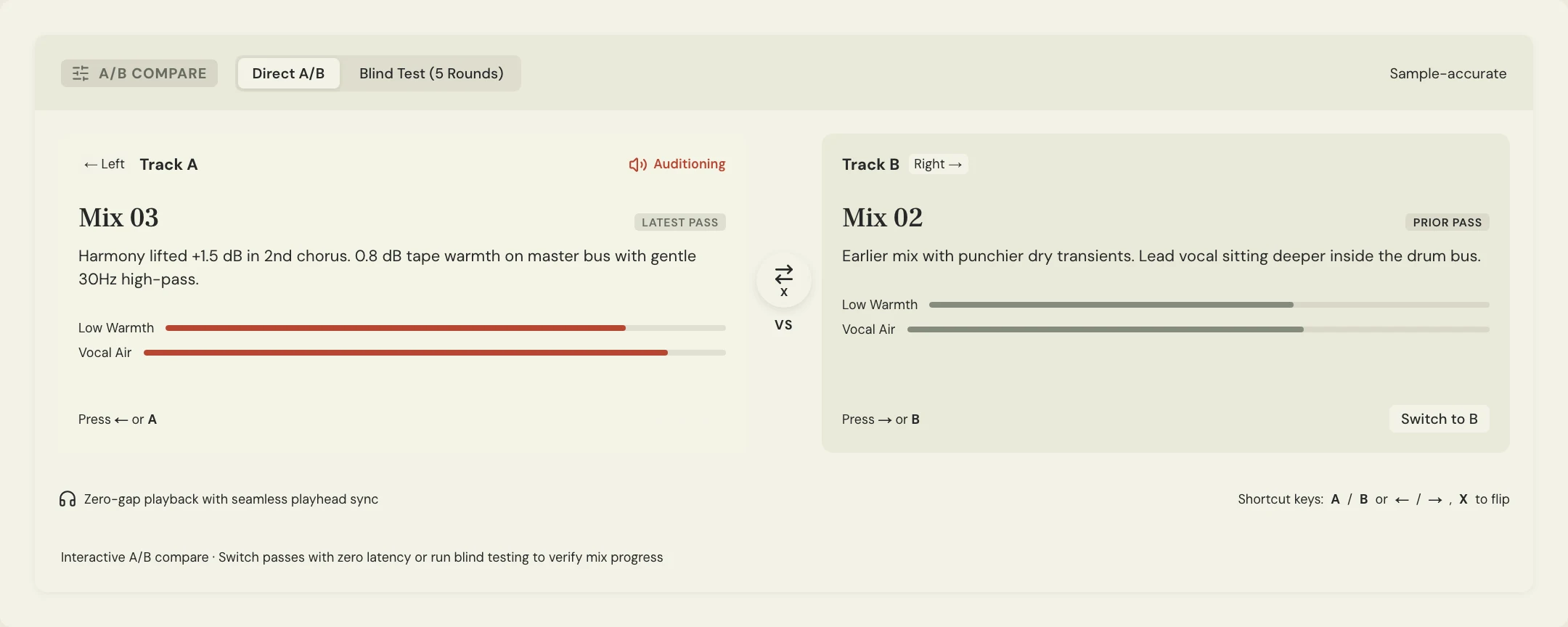
Use the A/B comparison guide to keep loudness from deciding the result. Check the marked chorus and a quieter passage before accepting the new balance. If the revision introduces distortion or unwanted peaks, use the export clipping check as a separate delivery gate. Save the accepted pass and record the remaining processing decision in the revision notes.
A few more things
Common questions
Is pumping always a mistake?
No. It can be a deliberate rhythmic effect. Identify the movement that conflicts with the song before reducing it across the whole arrangement.
Should I remove low frequencies from the mix?
Do not make that change from this symptom alone. Check whether the detector, the source balance or another processing stage is responsible.
Can a single release value work for every section?
It may, but test sparse and dense passages. The result also depends on the compressor's behavior, not just the number on its control.
What should I send if I only have the stereo mix?
Send the exact pass, timestamp and sustained part that dips. Ask the engineer for a controlled comparison from the source session.
Further reading
Technical background from the original sources referenced in this guide.
Your next pass
Give the song a shared home.
Keep the versions, lyrics, feedback, and people together in MixPass.
Building an upcoming single or EP? Apply for the Founding Testers Program for 3 months of Pro free in exchange for feedback (50 early seats).