
The short answer
A remote piano recording brief should identify the song version, the piano's musical role, fixed notes, open arrangement choices and pedal releases. Agree on the instrument sound and whether the return includes audio, MIDI or both. Review a short passage in context before approving the complete performance and its delivery files.
Keep these in mind
- Separate a melody or bass note that must stay from voicings the pianist can change.
- Specify where sustained chords should release, especially around breaks and new harmonies.
- Keep an audible reference for any MIDI return so the receiver can check the intended sound.
What should the pianist know about the part?
Start with what the piano does in the arrangement. Does it carry the harmony under a singer, introduce a recognizable melody, answer the vocal between lines, or replace a scratch keyboard? Choose the main job and identify the moments when that job changes. David Rodgers's remote recording workflow asks for a rough mix, references, chart or MIDI, and notes before agreeing on instrumentation and deliverables.
Mark the musical boundaries separately. A chord symbol tells the player about harmony, but your brief still needs to say whether a particular top note belongs to the hook. Identify any written bass line that should stay out of the pianist's left hand. Give a register or an audible example when an octave matters. If a chart and the demo disagree, name the one the player should follow and resolve the conflict before recording.
How do you brief voicings and pedal releases?
Describe the space around the part. Ask the player to leave a vocal pickup clear, avoid doubling a bass entrance, or keep a chorus melody above the chord. If you want alternatives, request two short interpretations of the same passage, such as close chords and a wider broken-chord version. Keep the tempo and backing track unchanged so the arrangement choice remains easy to hear. The reference-track guide can help you explain one specific quality in an example.
Give releases their own instructions. Write where the previous harmony should stop, where resonance is welcome, and whether the piano should ring through a silence. Avoid making every note length a technical prescription. A useful instruction is 'clear the previous chord before the new bass note at bar 25' or 'let the final chord decay naturally.' Ask for a test that includes the transition, rather than approving a chord heard on its own.
| Decision | Fixed in the brief | Open to the pianist |
|---|---|---|
| Hook | Top-line melody in chorus bars 17–20 | Inner chord tones below it |
| Register | Leave the verse bass line unobstructed | Choose a lighter right-hand voicing |
| Release | Clear the chord before the bridge rest | Shape the decay into that release |
What can you copy into a piano recording brief?
Constructed example for the fictional Soft Signals song Lantern. Maya wants a piano to replace a scratch part. The chorus melody is settled, while the verse accompaniment needs a player's interpretation. The bridge has an exposed stop. She requests a test that covers both the melodic hook and the release instead of asking for an entire alternate arrangement immediately.
Attach the selected rough mix and any chart, then identify the recording backing track. Where timing changes, link the tempo-map handoff. Confirm what a delivered file's beginning means, including any count-in or pickup. Ask the receiving engineer for the audio format and whether a separate effect print is useful. Do not require a microphone configuration or a sample rate just because another session used it.
SONG / VERSION | Lantern / Arrangement 07
PIANO ROLE | Support the verse vocal; carry the written chorus hook
REFERENCE | Arrangement 07 rough mix; chart dated November 19
AUTHORITY | Chart controls chord changes; demo controls chorus top-line rhythm
KEEP | Chorus top notes at bars 17–20
EXPLORE | Verse inner voicings; keep clear of the written bass line
PEDAL / RELEASE | Clear before bridge rest at bar 33; natural decay on final chord
FIRST TEST | Chorus entrance plus bridge stop, with preceding context
PLAYBACK START | Agreed session start and count-in; confirm before recording
RETURNS | Piano audio; MIDI only if captured and agreed; identify instrument and effects
AUDIO / MIDI AUTHORITY | Approved audio is the sound reference; retain MIDI as an editable performance option
APPROVAL | Hook intact, lyric pickup clear, bridge rest clean, returned files checked in session
Copy or download, then fill in the details for your song.
Should you request audio, MIDI or both?
Audio preserves the recorded sound. MIDI contains performance instructions that need an instrument to make sound. Yamaha's Smart Pianist guide explains this distinction. Request audio whenever the chosen piano tone is part of the decision. MIDI can be useful when the recording setup captures it, but a microphone recording of an acoustic piano does not automatically provide a matching MIDI performance. Agree on that return before the session.
If MIDI is supplied, load it with the intended receiving instrument and compare it against the audio reference. Check the opening, chord changes and pedal releases. Ableton documents that its MIDI export can move note and controller events to its export resolution, so do not assume an exported file reproduces every detail without checking. Note any deliberate sound replacement. Save the original return before editing it.
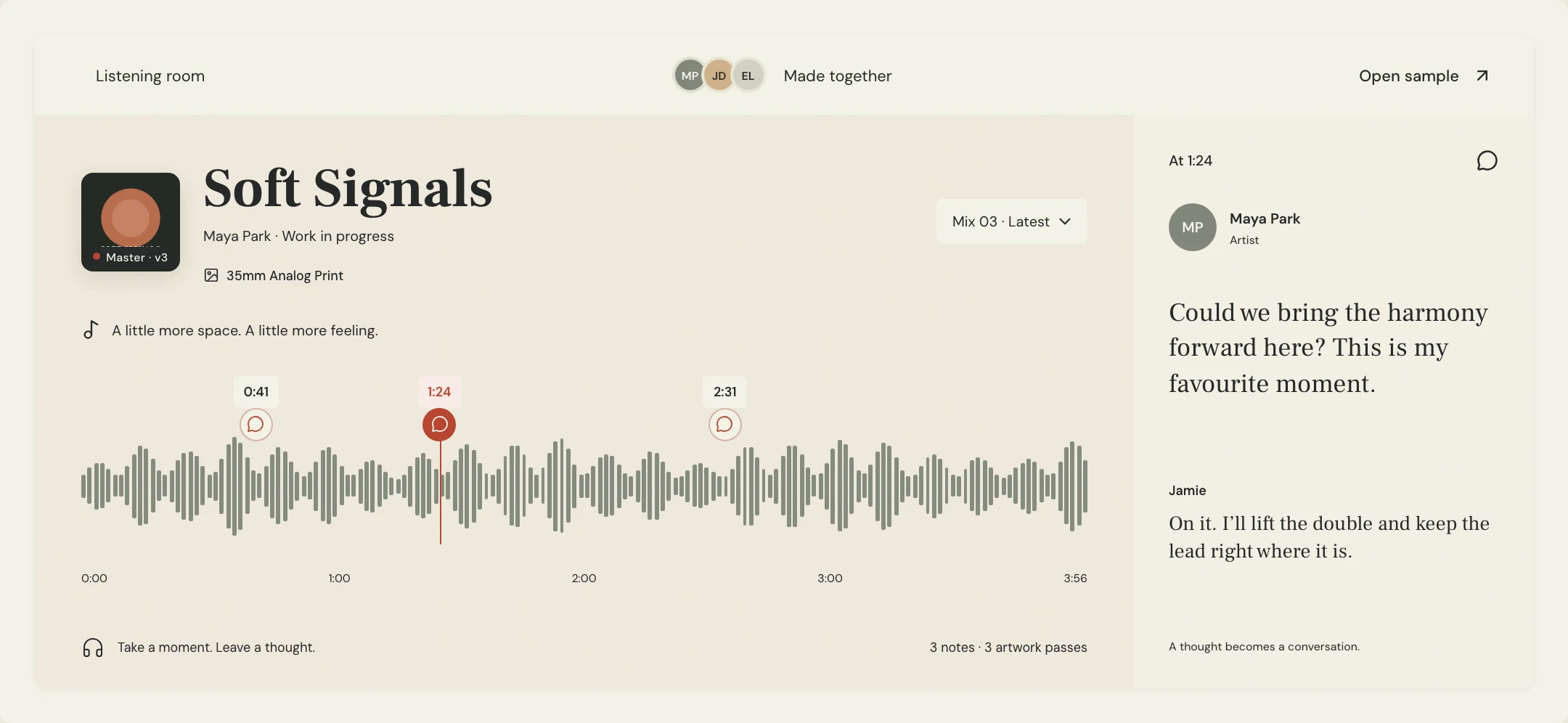
For approval, make a named audio pass with the returned piano in the song. Use MixPass's timestamped feedback to point to the hook, the bridge stop or a passage needing another attempt. Record which take and filenames were accepted in the pass notes. If the part needs a rewrite, distinguish that musical change from a delivery problem such as a missing tail. Add the pianist's agreed credit to the recording credits sheet.
A few more things
Common questions
Do I need to provide written notation?
Ask what the player needs. A demo and chord chart may suit an accompaniment, while an exact written melody benefits from a clear note reference.
Can MIDI guarantee the same piano sound?
No. It needs a sound source, and the receiving instrument and settings affect the result. Keep an audio reference of the intended sound.
Should I ask the pianist to remove all pedal?
Describe the musical releases you need. Removing pedal throughout may change the intended phrasing; review the transitions that actually cause concern.
What if the returned take begins in the wrong place?
Confirm the agreed session start and count-in before moving notes. Check a later landmark too, then ask for a corrected aligned file when needed.
Further reading
Technical background from the original sources referenced in this guide.
Your next pass
Give the song a shared home.
Keep the versions, lyrics, feedback, and people together in MixPass.
Building an upcoming single or EP? Apply for the Founding Testers Program for 3 months of Pro free in exchange for feedback (50 early seats).